## How to Cancel Your Fabletics Subscription: A Step-by-Step Guide
Fabletics, a popular subscription service for athletic apparel, offers a convenient way to refresh your workout wardrobe regularly. However, if you find yourself with more activewear than you need or are looking to explore other options, knowing how to cancel your membership is essential. This guide provides a clear, in-depth walkthrough of the cancellation process, ensuring a hassle-free experience. We’ll cover everything from navigating your account settings to understanding potential pitfalls, empowering you to manage your Fabletics membership with confidence.
Canceling a subscription can sometimes feel like a daunting task, but Fabletics aims to make it relatively straightforward. The key is to be prepared and know exactly where to look within your account. By following these steps, you can ensure that your subscription is terminated without any unintended charges or complications.
Here’s a detailed breakdown of how to proceed:
### Understanding Your Fabletics Membership
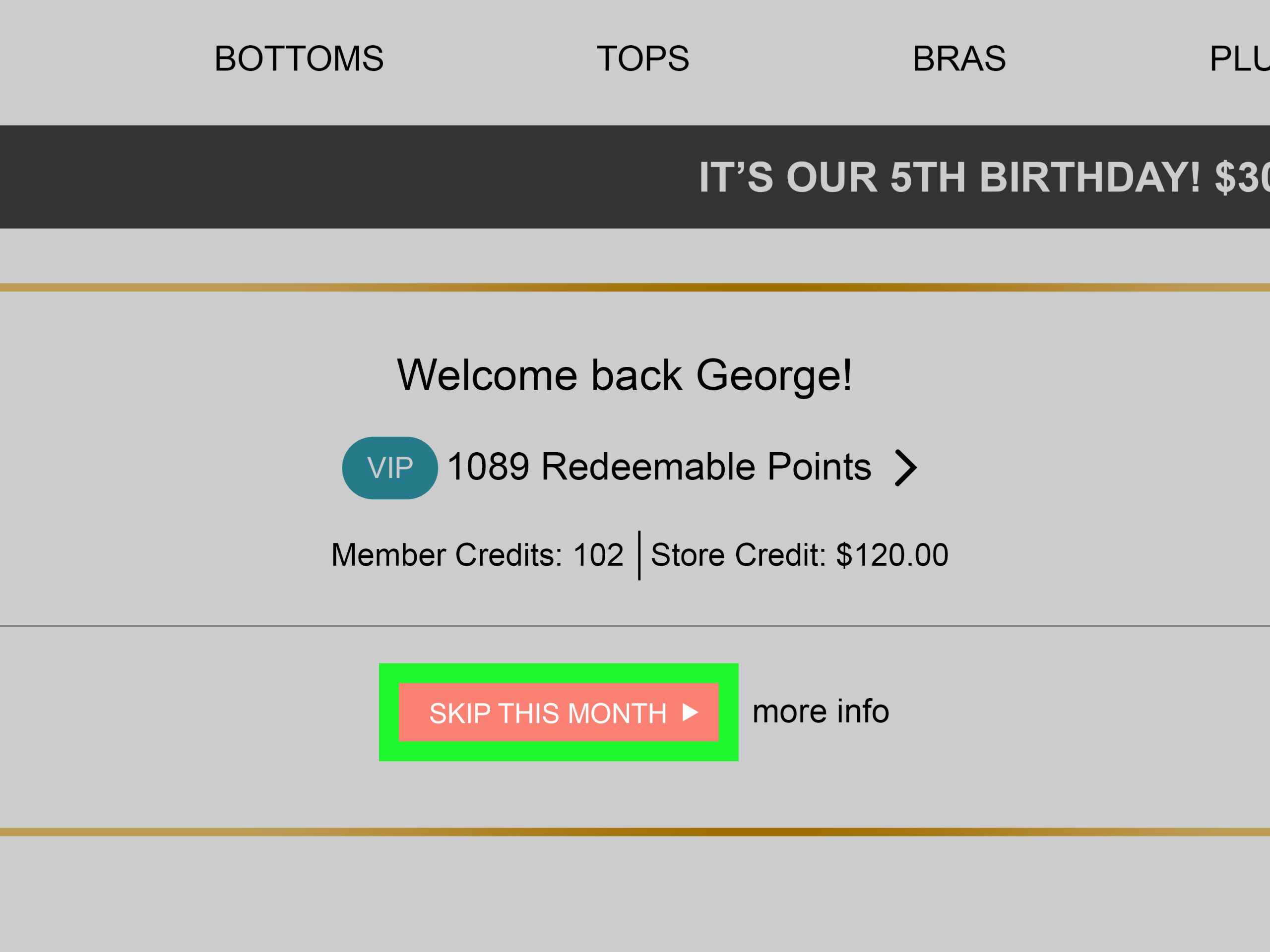
Before you begin the cancellation process, it’s helpful to understand how Fabletics operates. It’s a VIP membership program, meaning you pay a monthly fee to unlock access to exclusive discounts and new collections. As a VIP, you have the flexibility to shop for new items, “skip” a month to avoid being charged, or cancel your membership altogether. It’s crucial to remember that your membership renews automatically each month unless you take action to skip a month or cancel.
### Step-by-Step Cancellation Process
Navigating the Fabletics website or app is generally intuitive, and the cancellation process is no different.
#### 1. Log In to Your Account
The first step is to access your Fabletics account. Visit the Fabletics website and click on the “Sign In” button, usually located in the top right corner. Enter your registered email address and password to log in. If you are using the mobile app, open it and navigate to the login section.
#### 2. Access Your Membership Settings
Once logged in, you need to find your membership or account settings. Look for a section typically labeled “My Account,” “Profile,” or “Membership.” This is where you’ll find options to manage your subscription details.
#### 3. Navigate to the Membership Cancellation Option
Within your account settings, search for an option related to your VIP membership. This might be called “Manage Membership,” “VIP Membership,” or “Cancel Membership.” Click on this option to proceed.
#### 4. Follow the On-Screen Prompts
Fabletics will guide you through a few steps to confirm your decision. You may be asked to provide a reason for canceling or be presented with alternative options, such as pausing your membership or receiving a special offer to stay. Be sure to carefully read each prompt and select the option to finalize your cancellation.
#### 5. Confirm Your Cancellation
After completing the necessary steps, you should receive a confirmation email from Fabletics verifying that your membership has been canceled. It’s advisable to keep this email for your records. If you do not receive a confirmation email, it’s recommended to contact Fabletics customer support to ensure the cancellation is processed.
### Important Considerations When Canceling
While the process is generally straightforward, there are a few key points to keep in mind to avoid any surprises.
* **Cancellation Timing:** You can cancel your membership at any time. However, if you wish to avoid being charged for the upcoming month’s membership fee, ensure you cancel before your monthly renewal date. Your renewal date is typically displayed in your account settings.
* **Promotional Offers:** Be aware that if you are currently participating in a special promotion or have outstanding credits, these might be affected by your cancellation. Review the terms and conditions of any offers you’ve utilized.
* **Customer Support:** If you encounter any difficulties or have questions, Fabletics customer support is available to assist. You can usually find their contact information (phone number or email) on the Fabletics website.
Fabletics operates on a month-to-month subscription model. You have the flexibility to skip a month or cancel your membership before your monthly charge date to avoid being billed.
### Alternatives to Full Cancellation
If you’re not ready to fully commit to canceling but want a break from Fabletics, consider these alternatives:
* **Skipping a Month:** This is the most common alternative. Each month, before your charge date, you have the option to “skip” your order. This means you won’t be billed, and no new items will be sent. You can continue to shop the collections at VIP pricing.
* **Pausing Your Membership:** Some services offer a temporary pause option. Check your Fabletics account settings or contact customer service to see if this is available.
### Frequently Asked Questions (FAQ)
**Q1: Can I cancel my Fabletics membership online?**
A1: Yes, the easiest way to cancel your Fabletics membership is by logging into your account on their website and following the cancellation steps.
**Q2: What happens to my credits when I cancel?**
A2: Typically, any unused promotional credits or rewards may be forfeited upon cancellation. It’s best to check the specific terms and conditions or contact customer support for clarification.
**Q3: How close to my renewal date can I cancel?**
A3: You can cancel at any time, but to avoid being charged for the next billing cycle, you must cancel before your next scheduled payment date.
**Q4: Will I still be able to shop at Fabletics after canceling?**
A4: Yes, you can still shop on the Fabletics website as a regular customer, but you will not receive the VIP discounts and benefits.
**Q5: Do I need to return any items if I cancel my membership?**
A5: Canceling your membership does not automatically trigger a return of items you have already purchased. Returns or exchanges follow Fabletics’ standard return policy.
Learn more about fashion subscription services.
—
### Fabletics: A Snapshot
| Category | Information |
| :——————– | :————————————————————————————————————- |
| **Company Name** | Fabletics |
| **Industry** | Athletic Apparel, Fashion Retail |
| **Business Model** | Subscription-based (VIP Membership) |
| **Founders** | Don Ressler, Adam Goldenberg, Kate Hudson |
| **Founded** | 2013 |
| **Headquarters** | Los Angeles, California, USA |
| **Key Offerings** | Women’s and Men’s activewear, athleisure, accessories |
| **Membership Perks** | Discounts, early access to new collections, personalized styling |
| **Cancellation Policy** | Members can cancel online via account settings or by contacting customer support. Must be done before renewal. |
| **Website** | [www.fabletics.com](https://www.fabletics.com/) |
***
In conclusion, canceling your Fabletics membership is a manageable process when you know the steps involved. By understanding the membership structure and following the outlined procedure, you can effectively manage your subscription and ensure it aligns with your needs. Remember to check your renewal dates and confirm your cancellation to avoid any unwanted charges. Fabletics provides clear avenues for managing your account, and with this guide, you should feel well-equipped to navigate the cancellation process smoothly.